Scenes and post order
Start a scene, roll a post order, and let the HUD and titlers track whose turn it is to post.
For playersIn a group roleplay, a scene keeps everyone posting in turn. Everyone rolls a d20 once, the highest posts first, and the HUD keeps track of whose turn it is. The titler above each head shows it too, so everyone nearby can see who’s up.
A scene isn’t a fight. Nobody is put in combat, so the rest of your HUD works as usual, and nothing is spent or lost. Anyone can start one.
Start a scene
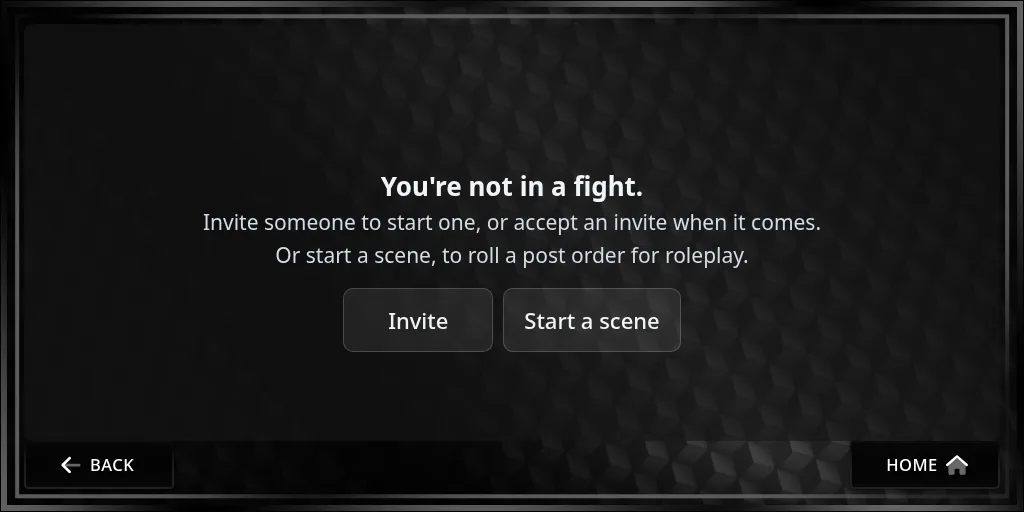
- Press Fight on the home screen.
- Press Start a scene. You lead it, and local chat says you’ve started one.
Invite people
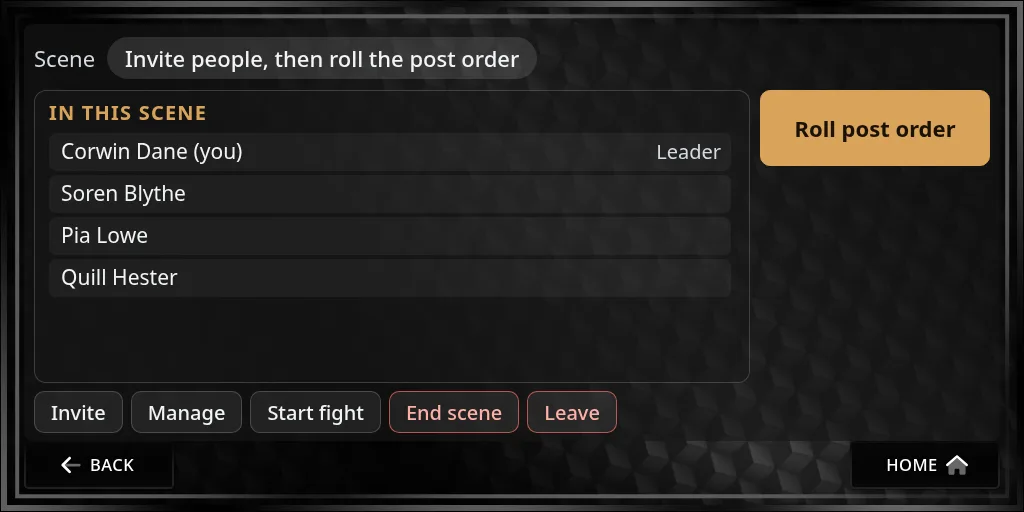
- Press Invite. The list shows people within 20 metres who are wearing the HUD.
- Press Invite next to each person. Anyone already in a scene or a fight is marked and can’t be invited.
- They get a box on their HUD and have two minutes to press Join (or No thanks).
While you wait, the page reads Invite people, then roll the post order and lists everyone who has joined.
Roll the post order
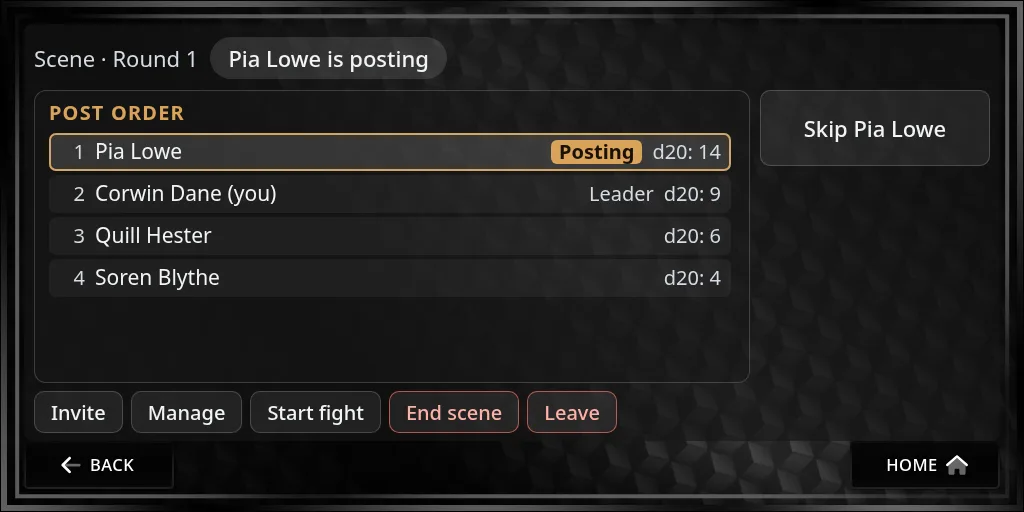
When everyone’s in, the leader presses Roll post order. Each person rolls a d20, highest first, and ties are settled at random. Local chat lists the order with every roll, for example Post order: 1. Corwin Dane (12), 2. Soren Blythe (11), 3. Pia Lowe (9), 4. Quill Hester (5). The order stays the same every round.
The page then shows Post order with each person’s place and roll, and who is posting now.
Your turn to post
When it’s your turn:
- you hear your turn sound and chat says It’s your turn to post;
- the page reads Your turn to post, with a big Done posting button;
- your titler reads POSTING NOW.
Write your post in chat as usual, then press Done posting. The turn passes to the next person, and chat says who’s up. After the last person, it goes back to the top and a new round starts (Round 2, Round 3…).
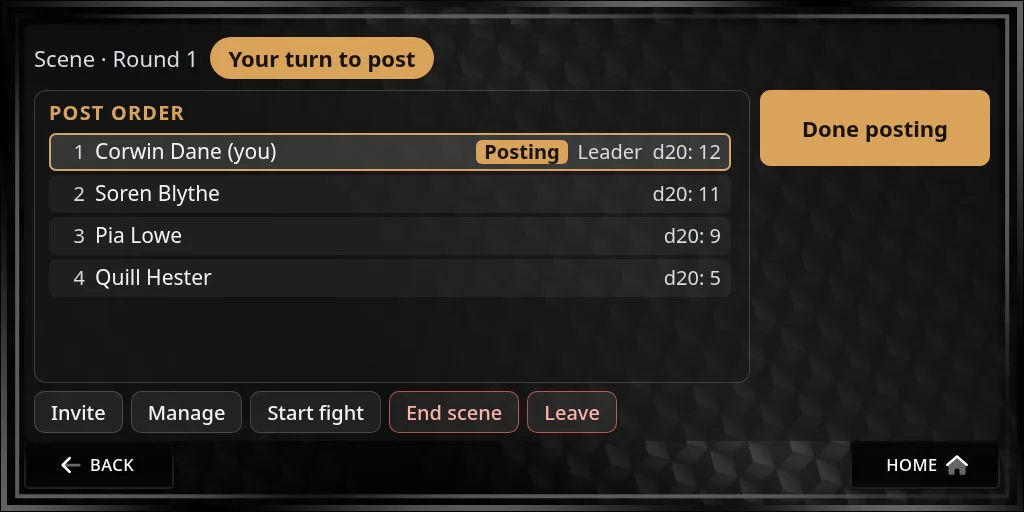
Nothing passes the turn on its own: press Done posting when you’ve posted. If someone forgets or steps away, the leader can skip them.
Above your head
While you’re in a scene, the party line of your titler shows your place:
| Titler shows | When |
|---|---|
| POSTING NOW | It’s your turn to post |
| Post 3 of 5 | Your place in the order, the rest of the time |
| In a scene | Before the order is rolled |
The line goes back to normal when you leave the scene. It doesn’t show while you’re set to out of character (OOC). If your sim has its own titler layout, the line sits wherever your staff put it.
Leading a scene
The leader has a few more buttons.
Skip passes over whoever is posting, when they’re away or stuck.
Invite works after the roll too, and you choose where each new person goes:
- At the end: after everyone, with no roll.
- Roll in: they roll a d20 and slot in by it, ahead of anyone who rolled lower.
- Place…: you pick who they go before.
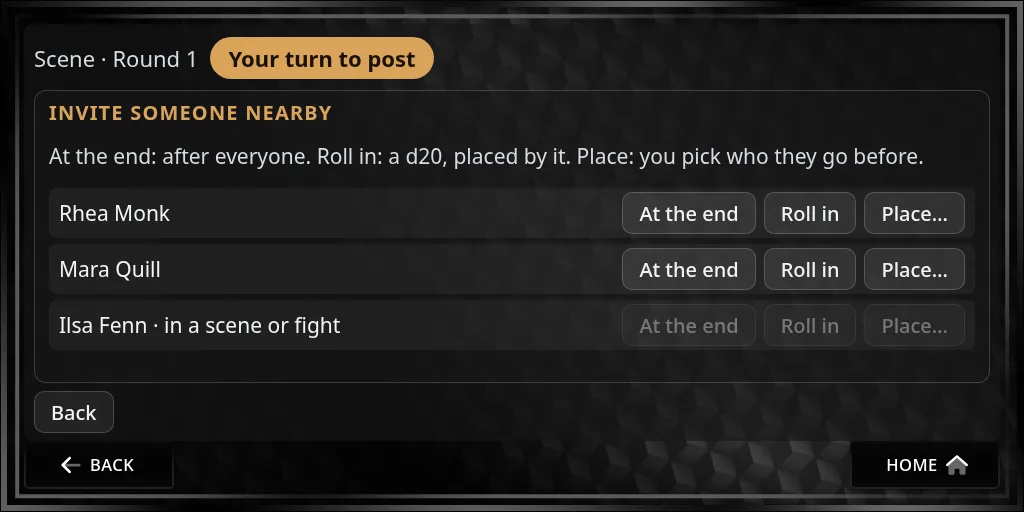
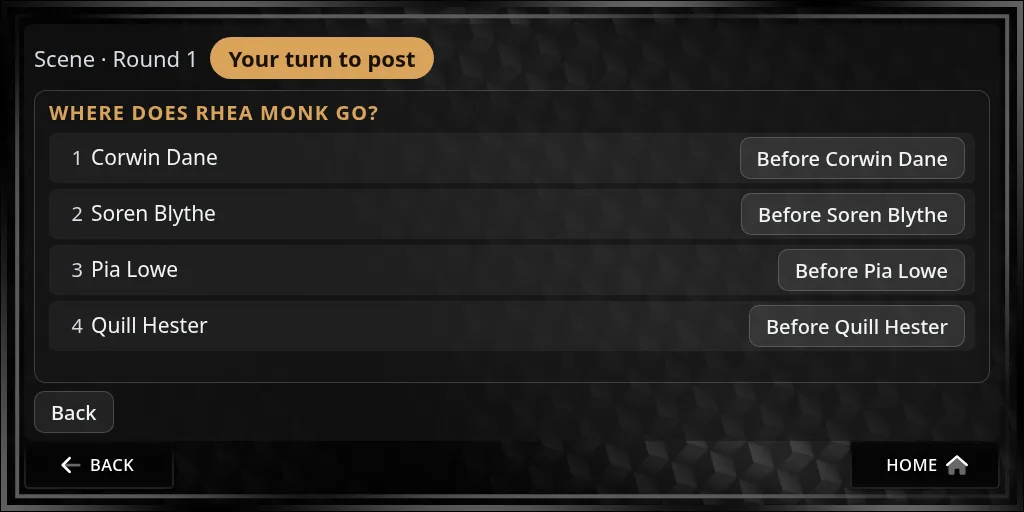
Manage shows ▲ and ▼ to move people up and down the order, Lead to hand the scene to someone else, Remove to take someone out, and Reroll order to roll everyone again.
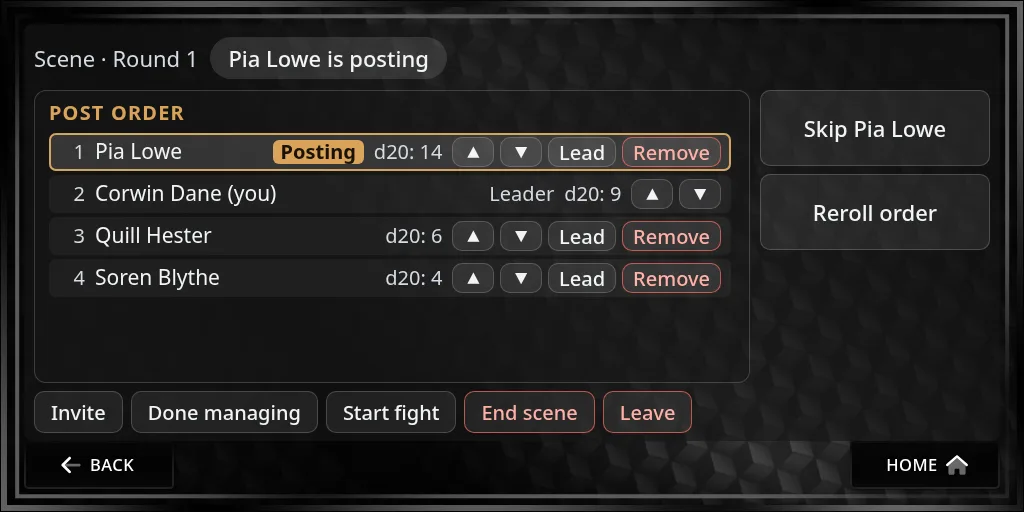
End scene closes it for everyone.
If the leader leaves, the next person in the order leads. If the person posting leaves, the turn passes to whoever was after them. If a scene gets stuck, say the leader has gone quiet, a storyteller can skip the poster, hand the lead to someone else or end the scene from the website.
On the website
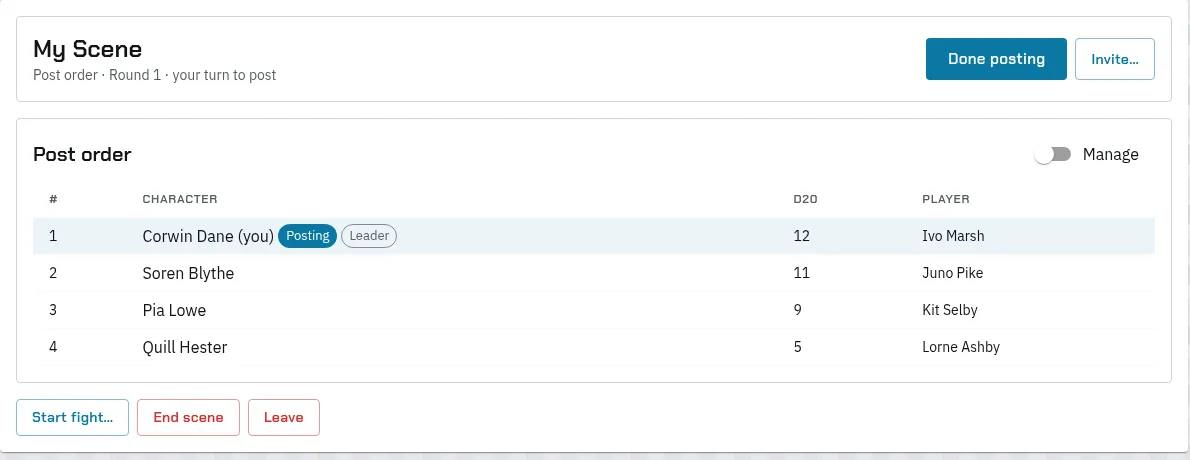
Main Menu › My Fight shows your scene while you’re in one: the order with each roll, who’s posting, Done posting on your turn, and the leader’s buttons. It works while your HUD is worn in-world, because what’s said goes out through it. With no scene or fight, it has Start a scene too.
When it turns into a fight
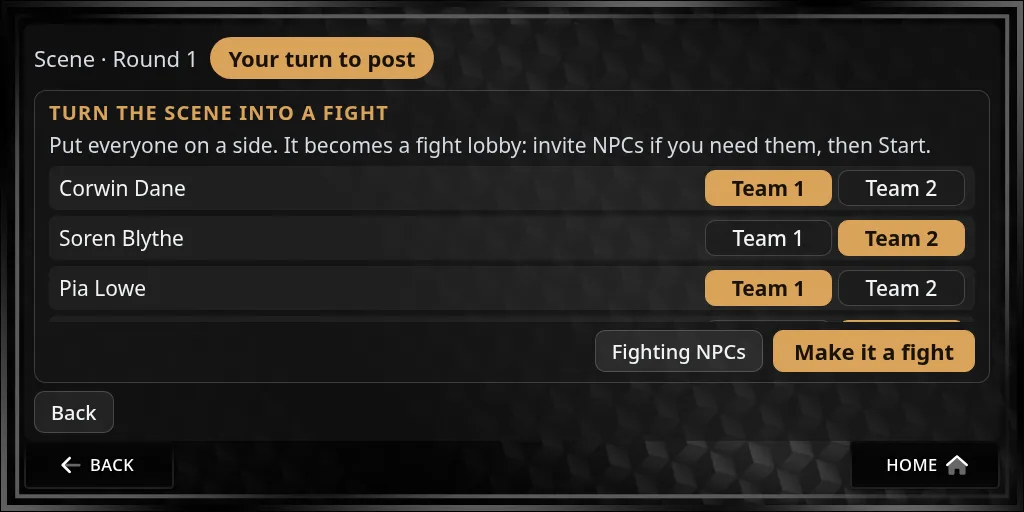
If the roleplay comes to blows, the leader presses Start fight and puts each person on Team 1 or Team 2. If you’ll all fight NPCs together, put everyone on one side and tick Fighting NPCs. Press Make it a fight: the scene becomes a fight lobby with the same people. A storyteller invites any NPCs, then the leader presses Start. See Start a fight.
Leaving
Press Leave. You can be in one scene or fight at a time, so leave a scene before you join another.