Reading the logs
What each log on the website records, how to filter it, the player timeline, and step-by-step ways to look into a theft, an XP complaint, a duplicated item or missing money.
For staffThe website keeps a record of almost everything that happens on your sim: XP, trades, crafting, money, doors, staff changes. Open Logs in the menu. You need view_logs, admin or Super Admin. By default the Admin role has it and Moderator doesn’t.
The page
Pick a log from Log at the top right. Below it are the filters that fit that log:
- Who: a character or account name, or part of one. A character’s name also finds their account’s entries where a log is kept by account.
- Item, Event, Text (words in the entry) and Outcome (went through or refused), where the log has them.
- When: the last 24 hours, 7 days, 30 days, or any time.
The newest entries come first, 25, 50 or 100 to a page. The filters are kept in the page’s address, so you can copy the link to show another staff member exactly what you found.
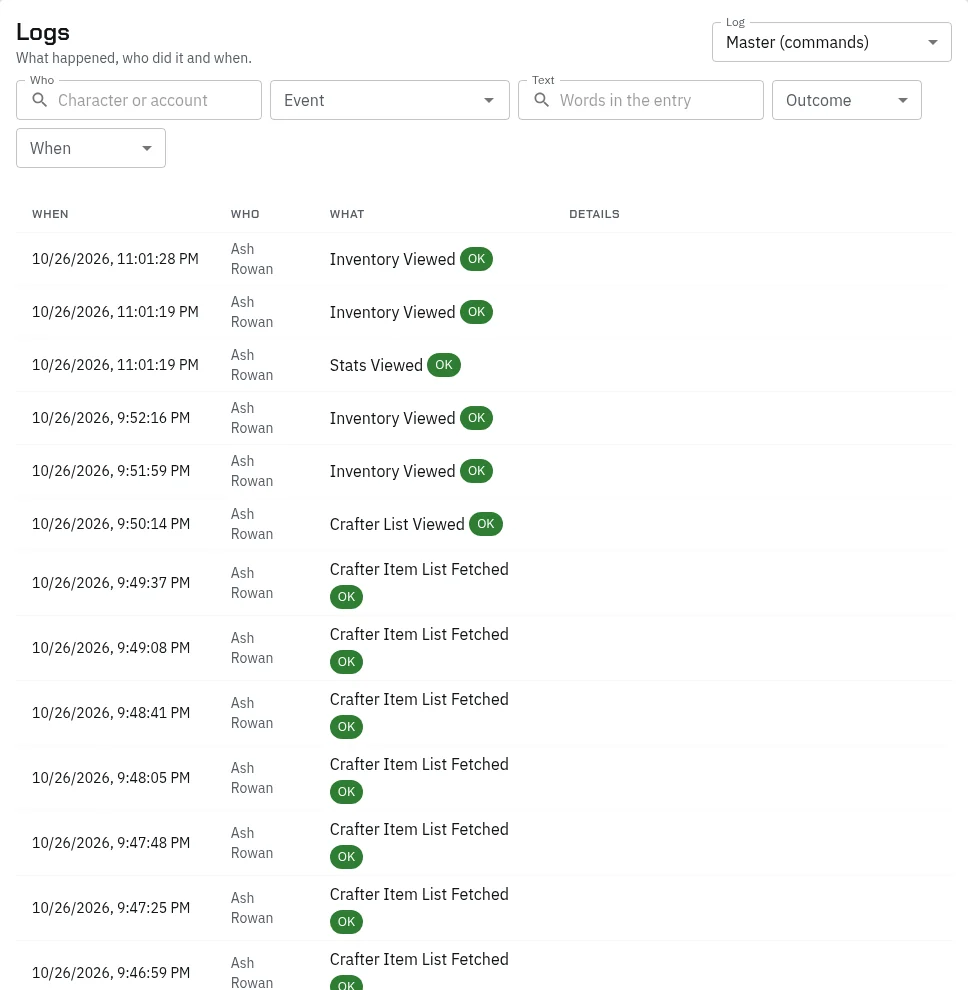
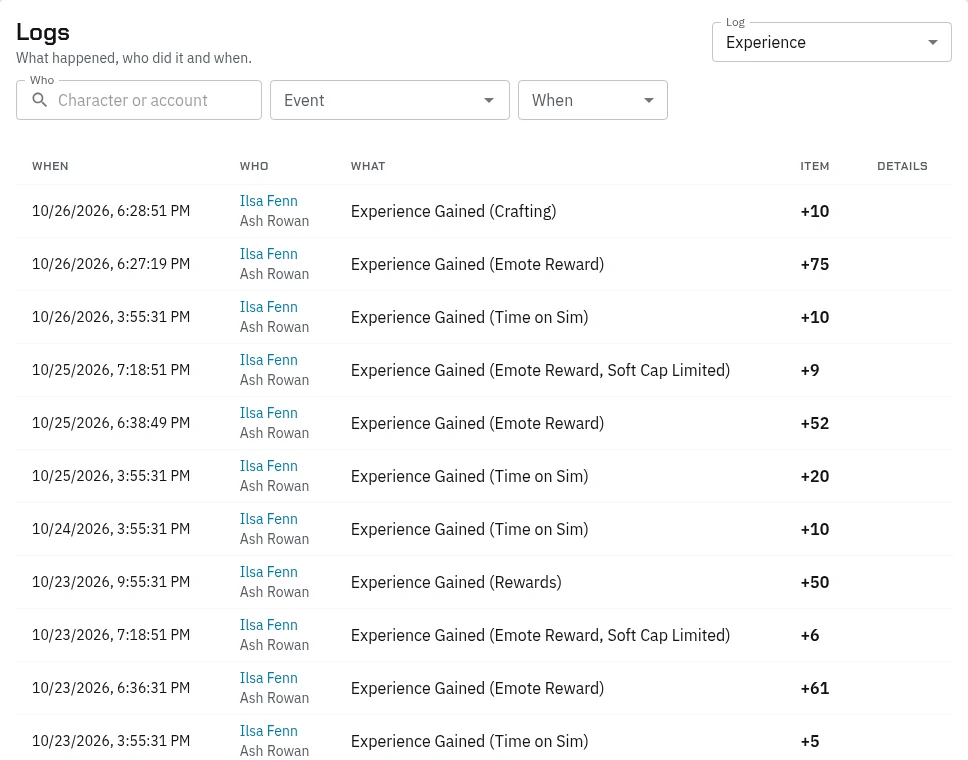
Each entry shows When, Who (the character, linked to their sheet, with the account under it), What happened with OK, Failed or Denied where that applies, the Item and how many, the Details such as who it went to, and Where.
Every log
| Log | What it records | Look here for |
|---|---|---|
| Master (commands) | Everything done through the HUD and commands, and every staff change on the website: sign-ins, roleplay mode, inventory and stats views, dice, setting changes, patches, panic switches | What someone did around a time; who changed a setting |
| Experience | Every XP change: roleplay, time on the sim, fights, crafting, quests, awards, staff. Staff changes say who made them | XP complaints |
| Character switches | Each switch from one character to another | Alts swapped around a trade or fight |
| Emotes | Each emote logged for roleplay rewards: its length, how many were nearby, where. Never the words | Checking someone was roleplaying |
| Quests | Lines shown, choices picked or refused, effects, triggers, and staff changes on the Progress board | A quest that seems stuck |
| Trades | Trades and gifts between players, and items staff spawned | Thefts, handoffs, spawned items |
| Vendor restocks | Each restock of a limited vendor item | Stock complaints |
| Crafting | Items made, failed attempts and items used, at which station | Craft disputes, duplicated items |
| Gathering | What each gather gave | Farming |
| Inventory | Every item gained or lost, with where it came from | Where a copy came from |
| Coins | Every coin gained or lost, from or to whom, and the purse after | Missing money |
| Bank | Every bank transaction with the balance after | Bank disputes |
| Environment | Doors and objects used, allowed or denied | Who opened a door |
| Env interactions | Interactions such as lockpicking: the roll, the outcome, damage, items | Break-ins |
| Bans | Bans: active, expired or lifted, how long, why and by whom | Ban history |
| Panel activity | Every save on the website | What staff changed |
| Premade operations | Each operation applied, step by step | What an operation did |
Vendor sales, Container activity and Dice history are under Their own pages in the picker. Vendor sales and container activity open the faction assets page, which shows everything to Super Admins, admins and staff with assign_groups, and to group leaders only their own groups.
The player timeline
Player timeline puts everything one character did into one list. Pick the Character, by character or account name. Chips along the top show how many entries each log has: press one to see only that log, or Show all. Open their sheet goes to their character page.
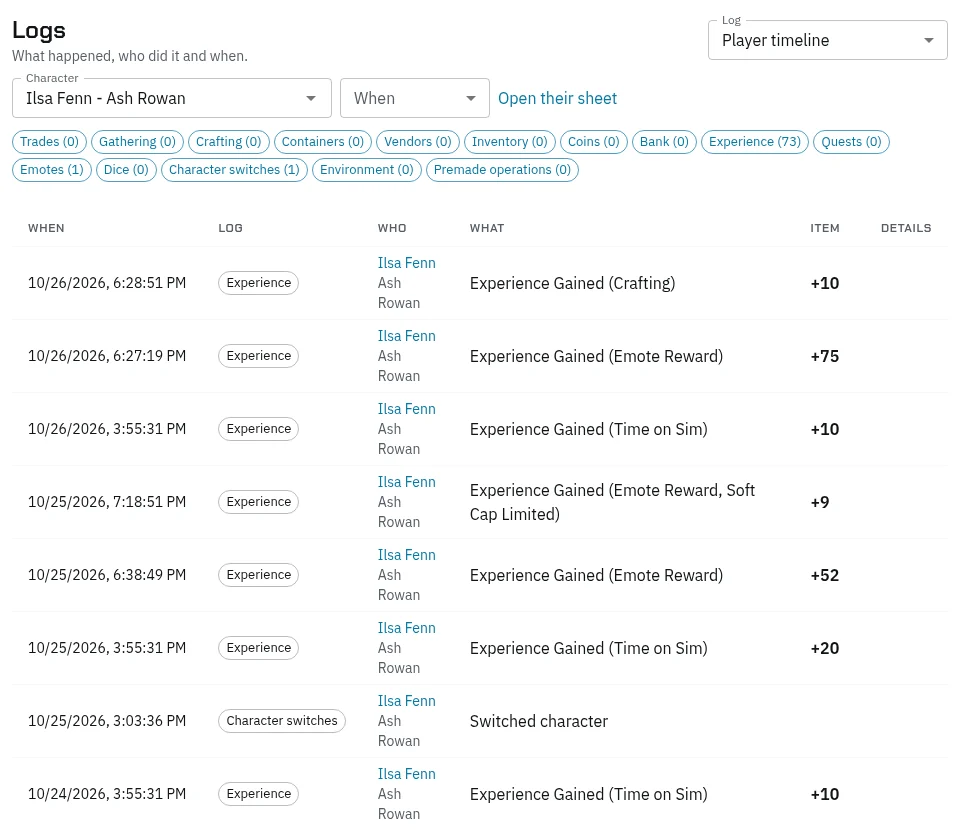
It covers trades, gathering, crafting, containers, vendors, inventory, coins, the bank, XP, quests, emotes, dice, character switches, objects and premade operations. It doesn’t include the Master log, Panel activity or Bans, which are kept by account. It shows up to 2,000 entries.
Looking into a problem
A theft from a container
- Open Container activity and pick the container. Set What to Withdraw and When to around when it went missing.
- For each name, open their Player timeline for the same time.
- Check Character switches: did they swap to an alt just before or after?
- Check Trades from them: did the items go to someone else?
An XP complaint
- Open Experience with Who set to the character. Each entry says where it came from.
- If roleplay XP is missing, open Emotes for them. No entries means their emotes weren’t counted: wrong channel, too short, or a region your sim doesn’t track.
- On Server › Settings, Cron, check that EmoteRewards, Rewards and OnSimXp are on and have run lately. See Server settings and scheduled tasks.
- Remember roleplay XP slows past the weekly limit. See Levels and XP.
A duplicated item
- Open Inventory with Item set to it. Each gain says where it came from.
- Open Trades with Event set to “Item Spawned via Trade” to find items staff spawned.
- Check Crafting, Gathering and Vendor sales for the item.
- Open the Player timeline of whoever has too many.
Missing money
- Open Coins for the character. Each entry shows what they hold after it.
- Open Bank for their transfers and card payments.
- A pickpocketing shows in their coins as “Pickpocketed”. The Master log records each attempt with both names.
Tip: Copy the address of what you found into your notes or a report. The link opens the same log with the same filters.