Your turn
What you can do on your turn, from abilities and targets to items and ending the turn.
For playersWhen the top of the fight page shows Your turn, your abilities and Use item appear along the bottom, with End turn and the other fight buttons below them.
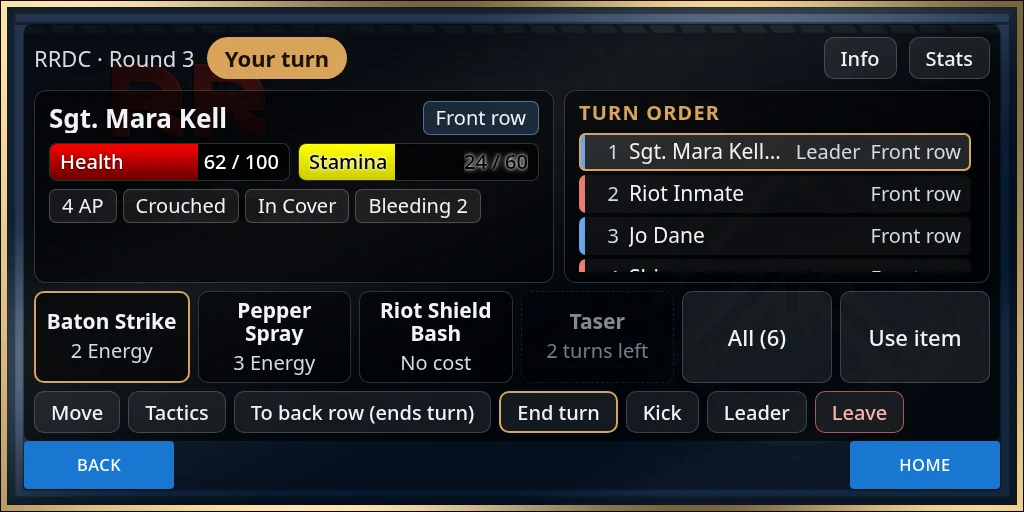
The ability buttons
Your first four fight abilities get a button each. Under the name is the cost in Energy, Mana or HP, or No cost.
A greyed-out button can’t be used right now. It shows why in place of the cost:
- 2 turns left, or On cooldown: you used it recently.
- Not enough Energy, Not enough Mana or Not enough HP: you can’t pay for it.
Reactions, such as a block, are not on the bar. If your sim uses them, you are asked whether to react when someone attacks you.
With more than four, All and a count, such as All (6), opens every ability as tiles. Each tile also says how it targets, such as Only you or Up to 3 targets. Back returns to the fight.
If your sim uses Energy as action points, you get a set amount at the start of each turn, shown as a chip such as 4 AP. The Energy set aside at the start of the fight comes back when it ends.
Pick targets
Press an ability to open the target picker, with targets under Other side and Your side. The note at the bottom tells you what to do. When you are ready, press the button that reads Use and the ability’s name.
- Pick a target: press one name. A tick shows on it.
- Pick up to 3 targets: press each one you want.
- 3 attacks to share out or 3 hits to share out: some abilities, and gear such as a Snap-Shot weapon, let you split attacks between targets. Each target gets - and +, and the note counts what you have given out. With Snap-Shot, attacks you leave over go to the target with the most.
- Area: if your sim uses multi-target attacks, some abilities hit everyone in range by themselves. The picker says who, and there is no target to pick.
- Only you: you are the only target listed.
If your sim uses range bands or rows, the picker also shows each target’s distance, row and range band. See Rows, cover and range.
Use item
Use item lists the items you can use in a fight. Press Use on one, then Use next to the person to use it on. If your sim uses consumable rules, an item costs Energy and your turn goes on. Otherwise using an item ends your turn.
Move and Tactics
Move is there if your sim uses movement, and Tactics opens stance, cover and the other moves your sim allows. See Rows, cover and range and Tactics.
End your turn
- End turn passes the turn to the next fighter.
- Some abilities end your turn when you use them.
- If your sim ends turns at 0 Energy, your turn ends by itself when you run out, and chat says you have run out of energy.
- The leader sees Skip on other people’s turns, to move a stuck turn on.
Waiting on a question
Sometimes the fight waits for someone to answer a question, such as whether to react to an attack. While it waits, your ability buttons and Tactics are hidden. If a question is waiting for you and you can’t see it, press Show Prompt at the top of the page, or type @party prompt in chat.
NPC turns (staff)
If you control an NPC, its turn comes to your HUD. The top reads Acting as: and the NPC’s name, and the buttons are the NPC’s abilities. Use them as you would your own, then press End turn. You also see Acting as: while you control a drone or turret, if your sim uses them.